Galleon 2026Download our mobile shopping application for faster and easy transaction.
₱4,681
₱3,310
+ ₱ 252
Shipping Cost from USA to Philippines inclusive of custom fees.
Cost too high? Check weight and dimension on product details and click "I think this is wrong?" link.
Get it between 2026-05-23 to 2026-05-30.
Additional 3 business days for provincial shipping.
- Price and Stocks may change without prior notice
- Packaging of actual item may differ from photo shown
Cash upon Pick-up - orders grand total must not exceed ₱5,000.00. Order will be pickup at Galleon's Office.
Cash on Delivery - orders grand total must not exceed of ₱10,000.00 and must not exceed ₱5,000.00 for provincial areas. See all payment methods
Product ID:
565035
Identifier:
B0DW85W3FV
Brand:
acer
Model:
ODK4K0
Shipping Weight:
0.29 lbs
Manufacturer:
acer
Shipping Dimension:
6.73 x 5.43 x 0.83 inches
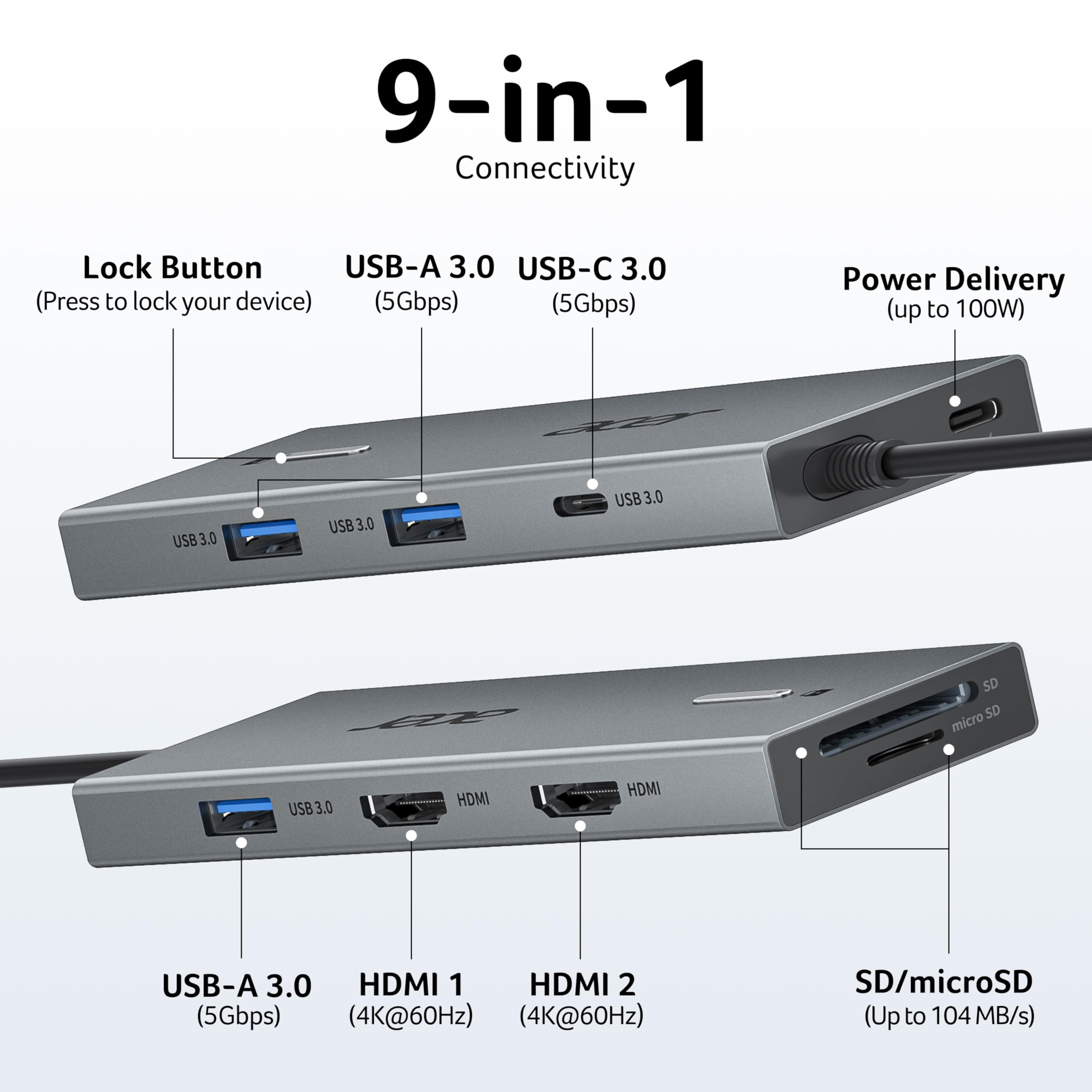
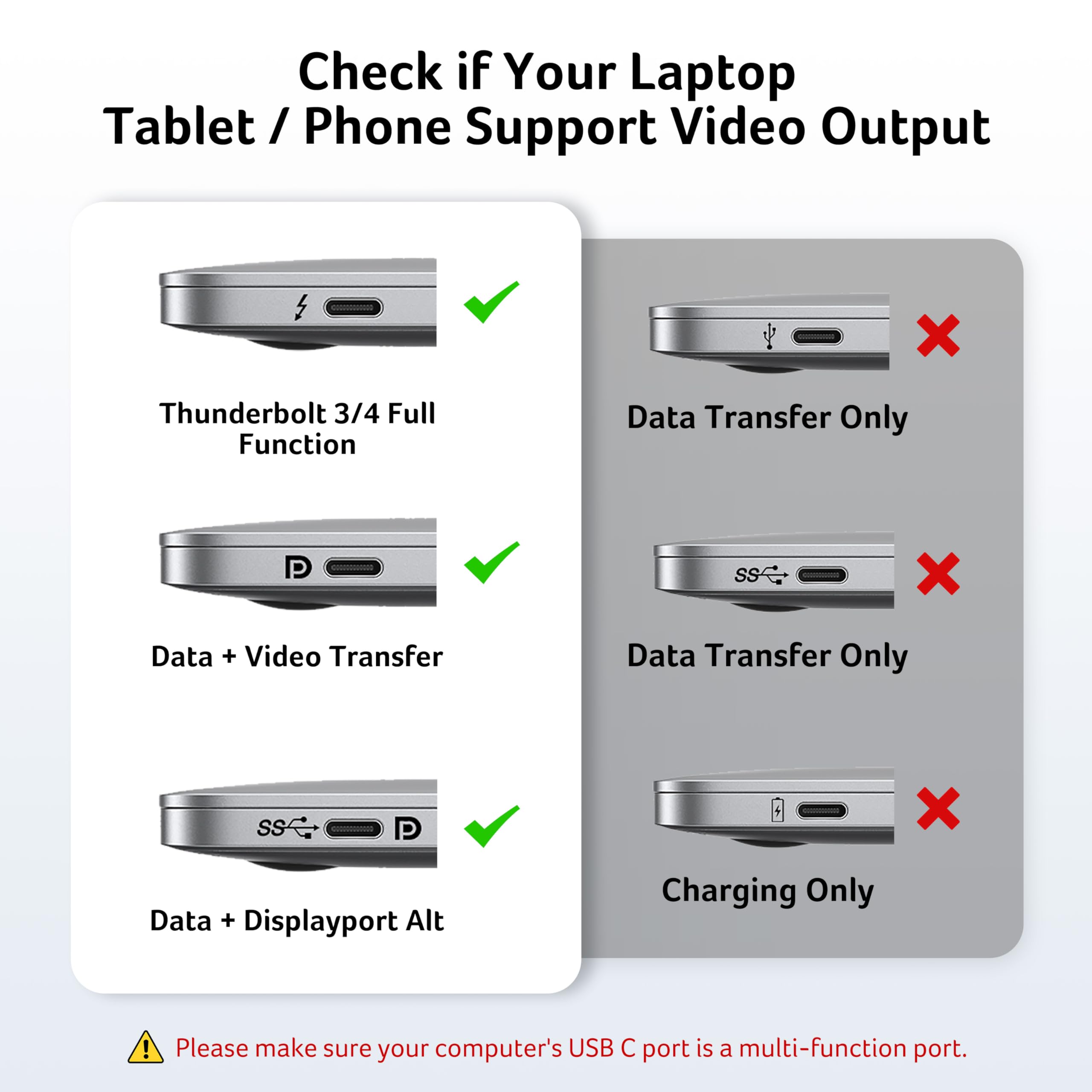
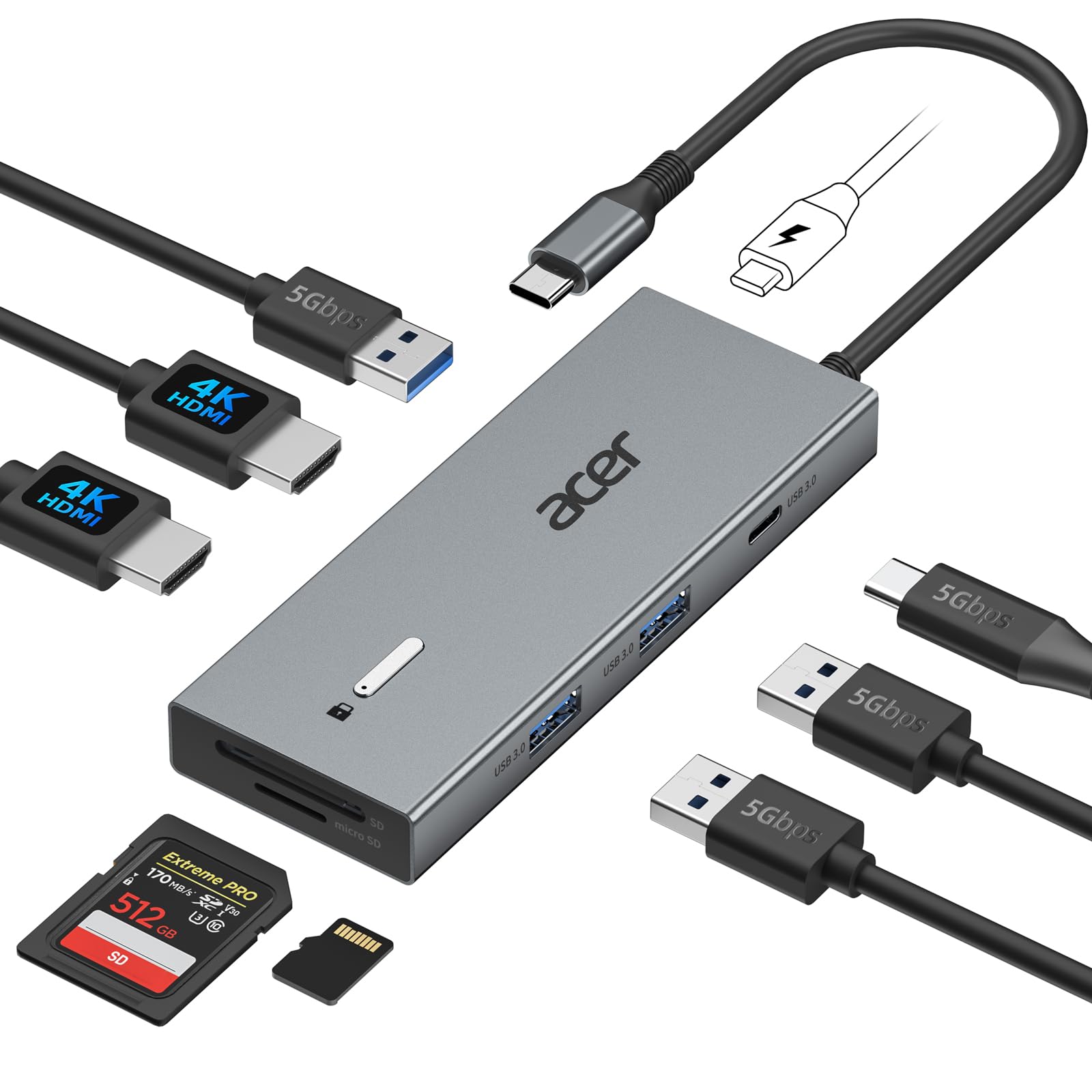
【9-in-1 USB-C Docking Station】This Acer laptop docking station includes 2 HDMI(4K@60Hz), 3 USB-A (5Gbps), 1 USB-C (5Gbps), 100W PD charging, and SD/MicroSD slots (104Mbps). 📌Note: 𝐏𝐥𝐞𝐚𝐬𝐞 𝐞𝐧𝐬𝐮𝐫𝐞 𝐲𝐨𝐮𝐫 𝐥𝐚𝐩𝐭𝐨𝐩 𝐡𝐚𝐬 𝐚 𝐔𝐒𝐁-𝐂 𝐩𝐨𝐫𝐭 𝐰𝐢𝐭𝐡 𝐯𝐢𝐝𝐞𝐨 𝐨𝐮𝐭𝐩𝐮𝐭 (𝐃𝐢𝐬𝐩𝐥𝐚𝐲𝐏𝐨𝐫𝐭 𝐀𝐥𝐭 𝐌𝐨𝐝𝐞) 𝐬𝐮𝐩𝐩𝐨𝐫𝐭.
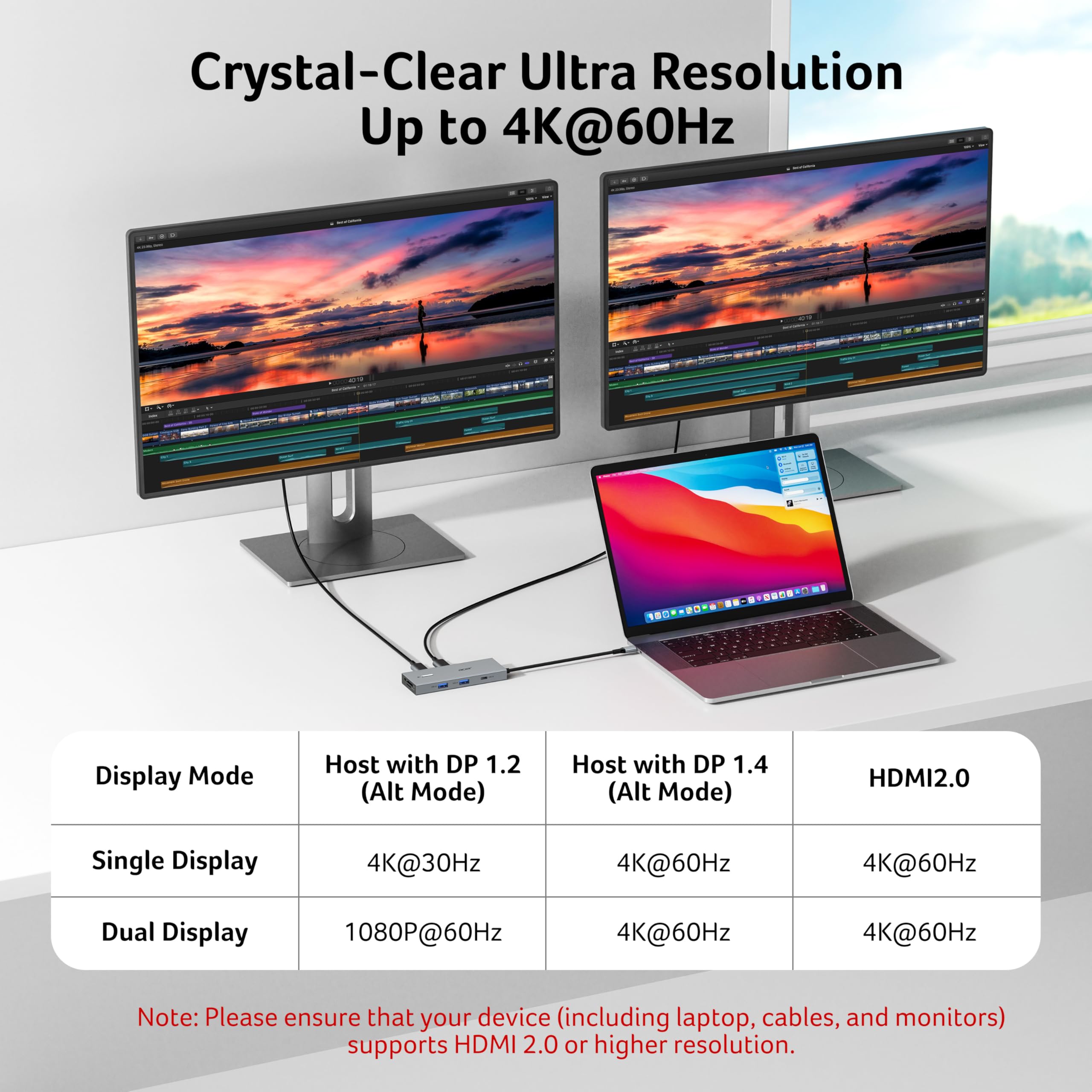
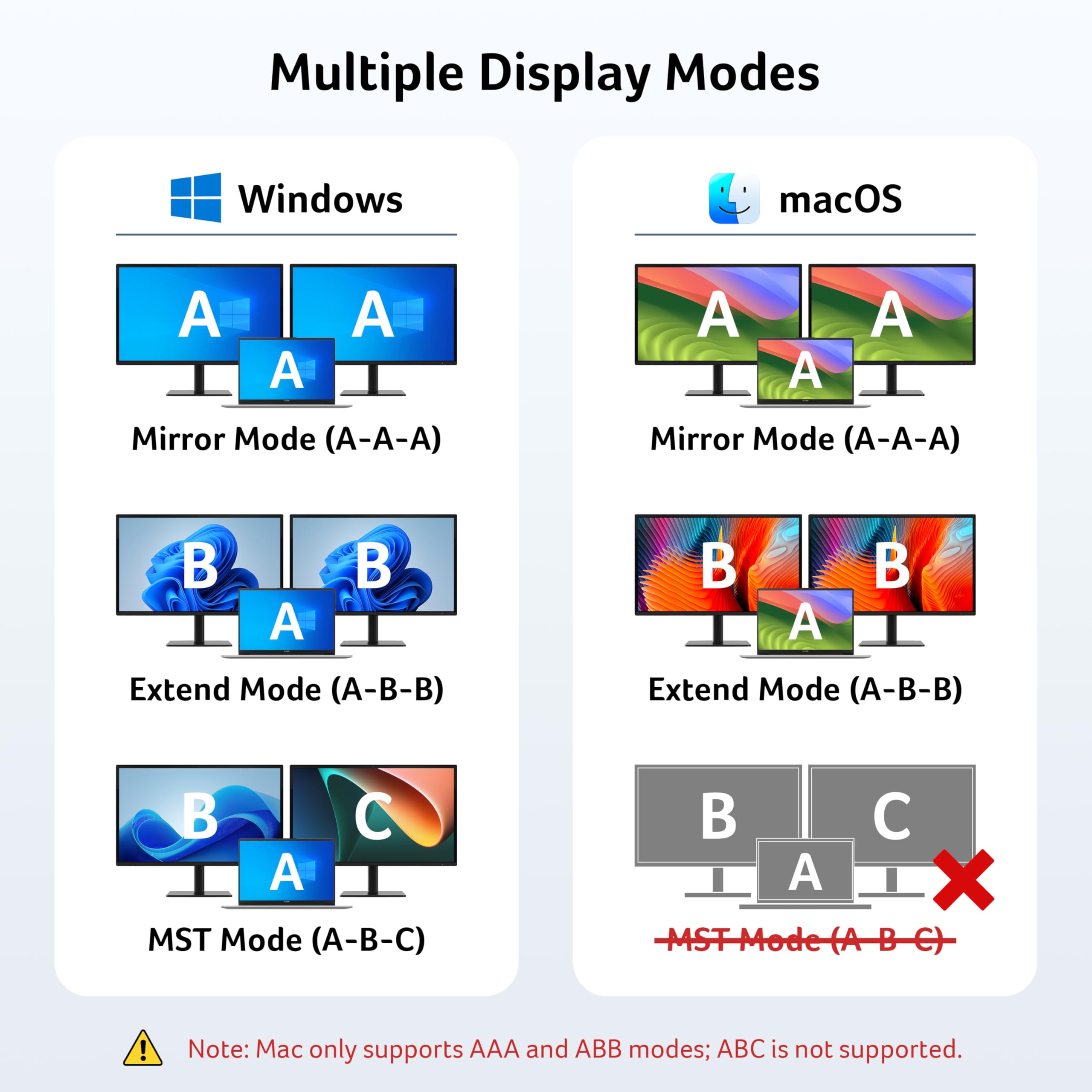
【Stunning Dual 4K@60Hz Display】This USB-C docking station supports dual monitors via 2 HDMI ports with 4K@60Hz resolution, making screen extension or mirroring easy. 📌Note: ①𝐏𝐥𝐞𝐚𝐬𝐞 𝐞𝐧𝐬𝐮𝐫𝐞 𝐭𝐡𝐚𝐭 𝐲𝐨𝐮𝐫 𝐝𝐞𝐯𝐢𝐜𝐞 (𝐢𝐧𝐜𝐥𝐮𝐝𝐢𝐧𝐠 𝐥𝐚𝐩𝐭𝐨𝐩, 𝐜𝐚𝐛𝐥𝐞𝐬, 𝐚𝐧𝐝 𝐦𝐨𝐧𝐢𝐭𝐨𝐫𝐬) 𝐬𝐮𝐩𝐩𝐨𝐫𝐭𝐬 𝐇𝐃𝐌𝐈 𝟐.𝟎 𝐨𝐫 𝐡𝐢𝐠𝐡𝐞𝐫 𝐫𝐞𝐬𝐨𝐥𝐮𝐭𝐢𝐨𝐧. ②𝐦𝐚𝐜𝐎𝐒 𝐨𝐧𝐥𝐲 𝐬𝐮𝐩𝐩𝐨𝐫𝐭𝐬 𝐨𝐧𝐞 𝐞𝐱𝐭𝐞𝐫𝐧𝐚𝐥 𝐦𝐨𝐧𝐢𝐭𝐨𝐫 𝐢𝐧 𝐄𝐱𝐭𝐞𝐧𝐝 𝐦𝐨𝐝𝐞.
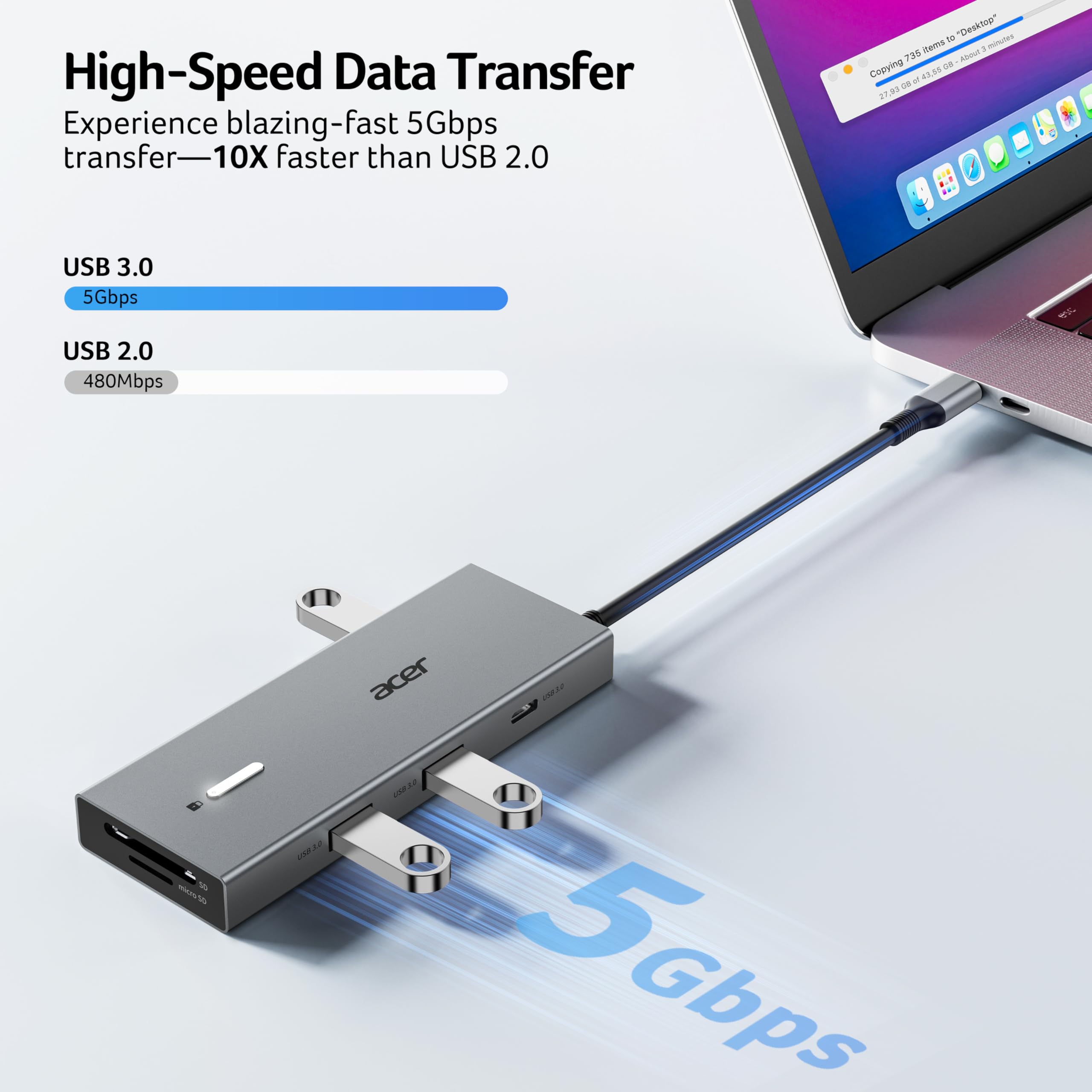
【Fast Data Transfer & Easy Access】This Acer USB-C docking station offers 1 USB-C (5Gbps), 3 USB-A (5Gbps), and dual SD/MicroSD slots (up to 104Mbps) for fast, reliable file transfers.
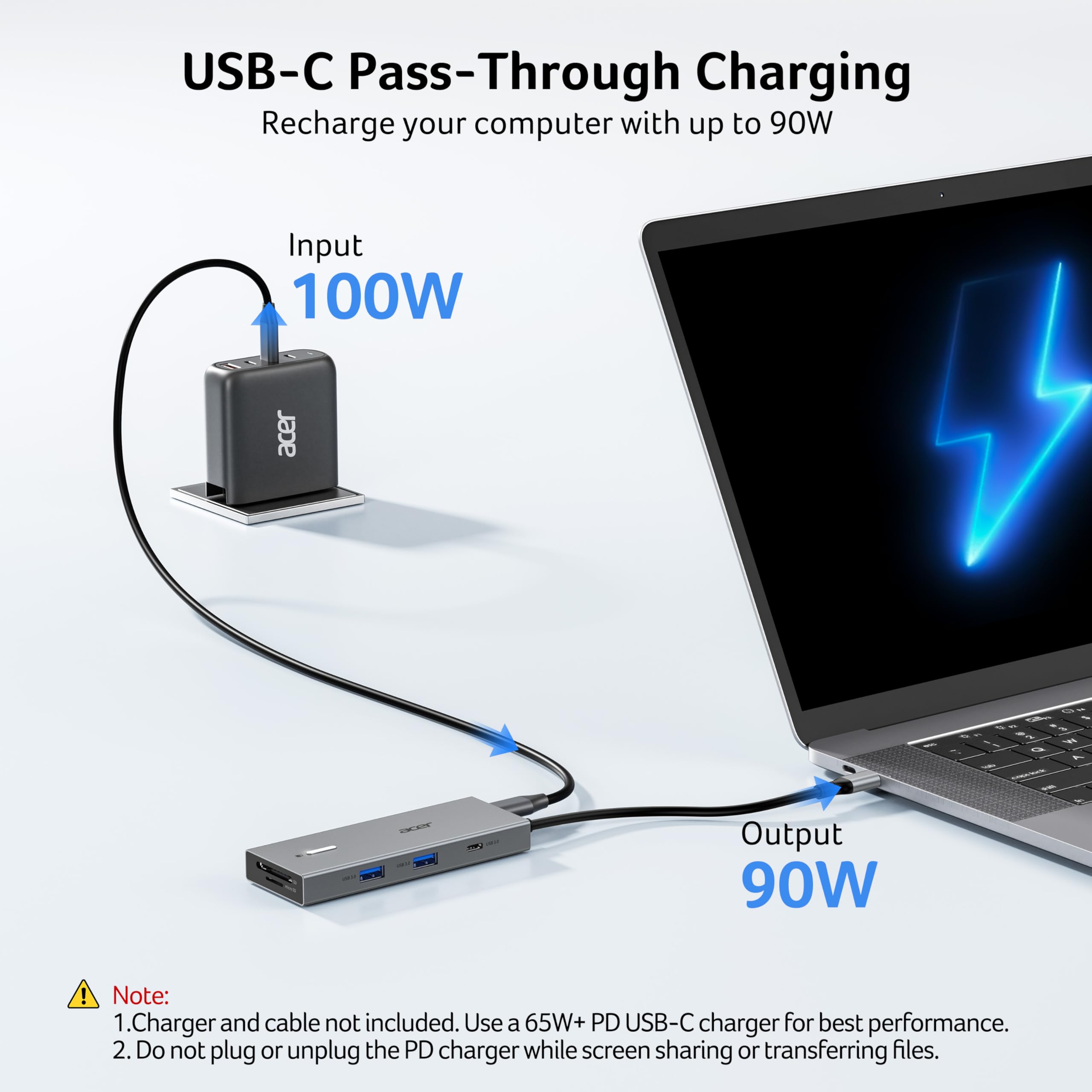
【100W PD Fast Charging, Efficient Power Supply】This Acer USB-C hub supports up to 100W input and delivers up to 90W to your laptop, allowing you to stay charged while using the docking station. 📌𝐍𝐨𝐭𝐞: ① 𝐄𝐧𝐬𝐮𝐫𝐞 𝐲𝐨𝐮𝐫 𝐝𝐞𝐯𝐢𝐜𝐞’𝐬 𝐔𝐒𝐁-𝐂 𝐩𝐨𝐫𝐭 𝐬𝐮𝐩𝐩𝐨𝐫𝐭𝐬 𝐏𝐨𝐰𝐞𝐫 𝐃𝐞𝐥𝐢𝐯𝐞𝐫𝐲 (𝐏𝐃); 𝐮𝐬𝐞 𝐚 𝟔𝟓𝐖+ 𝐩𝐨𝐰𝐞𝐫 𝐚𝐝𝐚𝐩𝐭𝐞𝐫 (𝐧𝐨𝐭 𝐢𝐧𝐜𝐥𝐮𝐝𝐞𝐝).
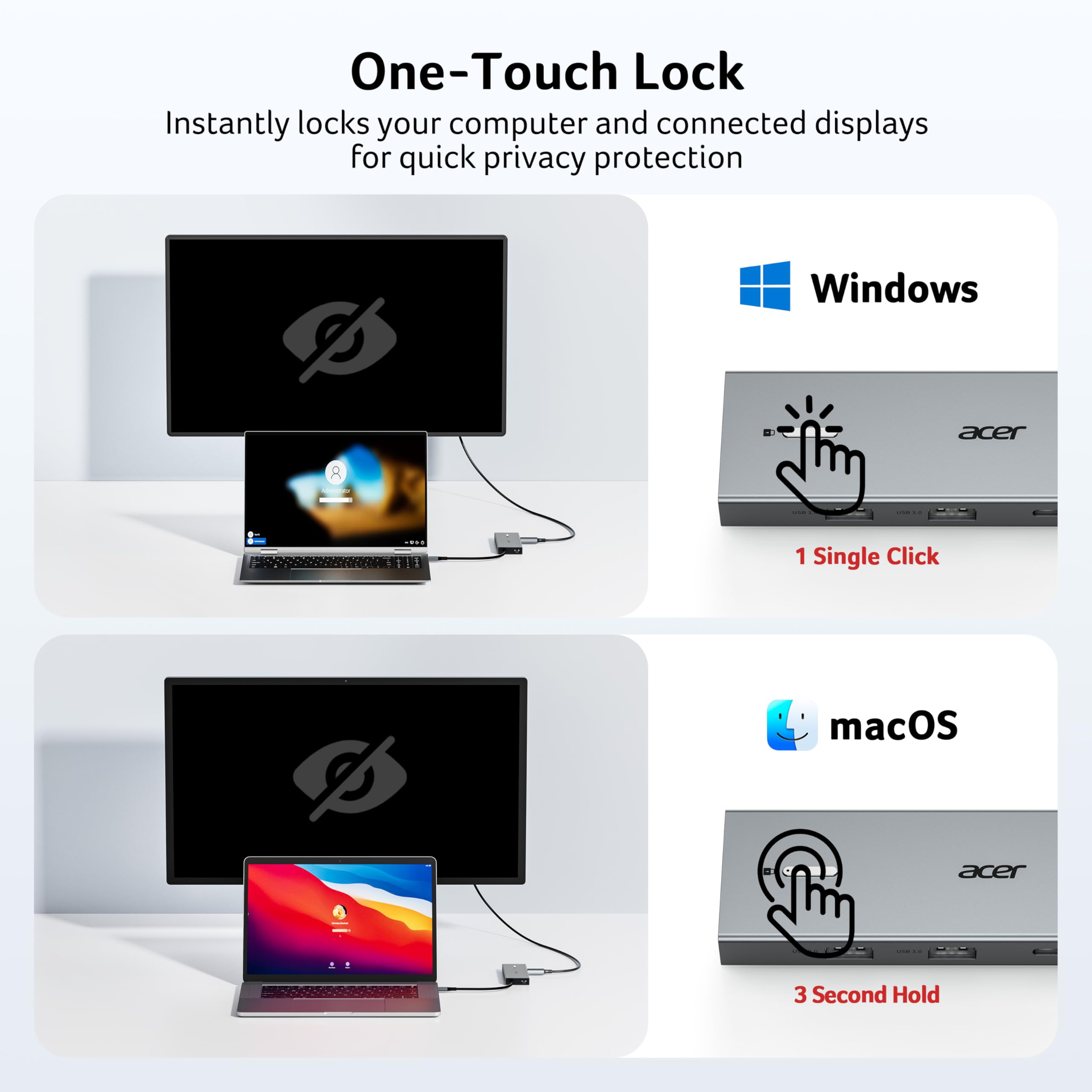
【Thoughtful Details】This docking station has a 0.66FT built-in cable, an aluminum alloy body, and a lock button for device security. Single click locks Windows; press and hold 3s for Mac.
【Universal Compatibility】This docking station is designed for laptops with full-featured USB-C ports that support display, charging, and data transfer—compatible with Dell, Lenovo, and Surface devices.
【𝐏𝐫𝐞-𝐔𝐬𝐞 𝐒𝐞𝐭𝐮𝐩 𝐆𝐮𝐢𝐝𝐞】𝐅𝐨𝐫 𝐌𝐚𝐜: System Settings > Privacy & Security > Accessories, then set it to Always Allow. 𝐅𝐨𝐫 𝐖𝐢𝐧𝐝𝐨𝐰𝐬: Plug-and-play ready, enable external devices in Settings > Devices. After setting, reconnect the docking station and wait for your computer to recognize the device.

Buy products not available in the Philippines.