Galleon 2026Download our mobile shopping application for faster and easy transaction.
Product ID:
554779
Identifier:
B0FGJQ1V5Z
Brand:
RIITOP
Model:
SF12GD-GY
Shipping Weight:
0.79 lbs
Manufacturer:
RIITOP
Shipping Dimension:
7.99 x 4.45 x 1.69 inches
₱14,815
₱12,074
+ ₱ 441
Shipping Cost from USA to Philippines inclusive of custom fees.
Cost too high? Check weight and dimension on product details and click "I think this is wrong?" link.
Get it between 2026-05-14 to 2026-05-21.
Additional 3 business days for provincial shipping.
- Price and Stocks may change without prior notice
- Packaging of actual item may differ from photo shown
Cash upon Pick-up - orders grand total must not exceed ₱5,000.00. Order will be pickup at Galleon's Office.
Cash on Delivery - orders grand total must not exceed of ₱10,000.00 and must not exceed ₱5,000.00 for provincial areas. See all payment methods
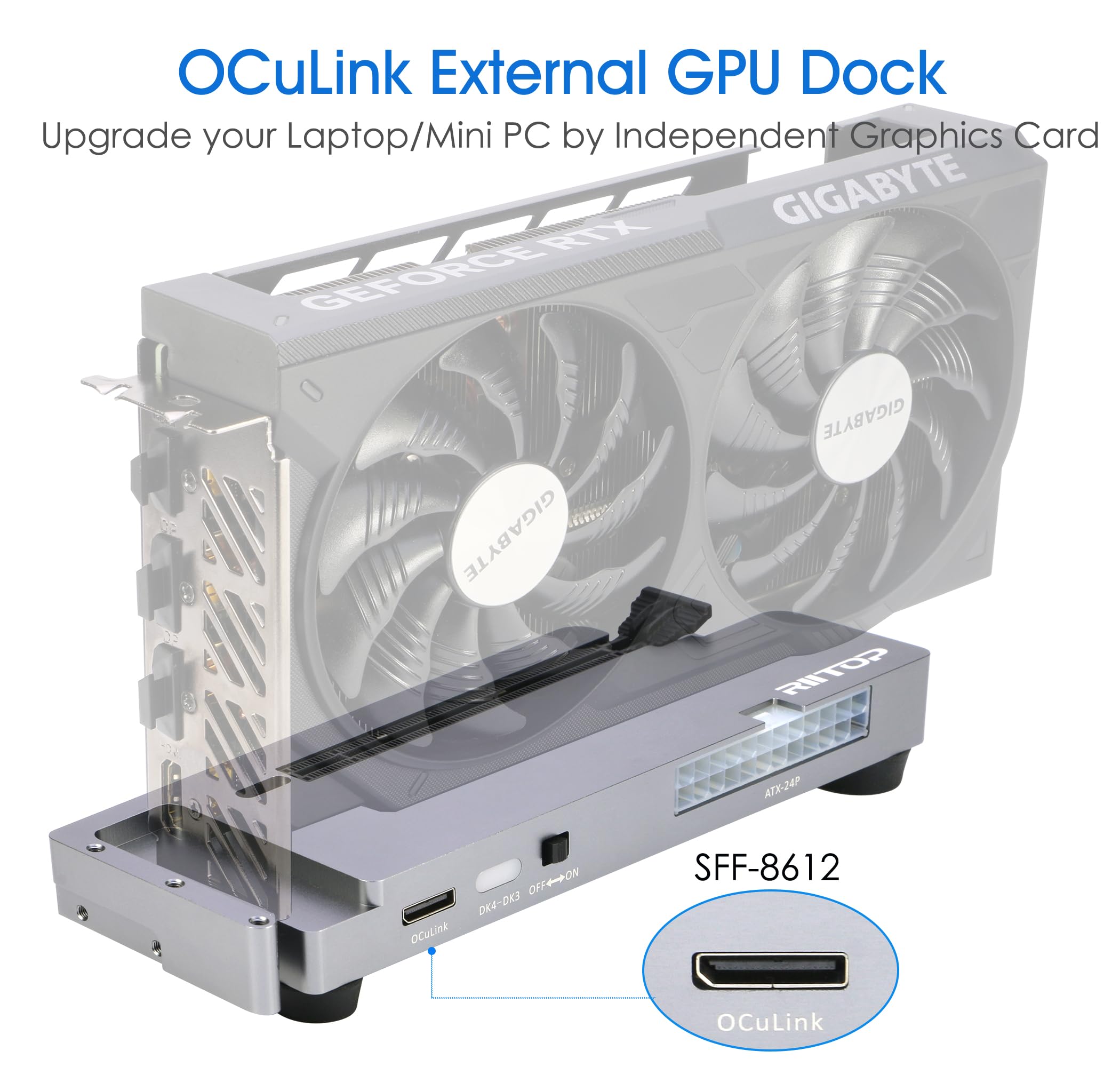
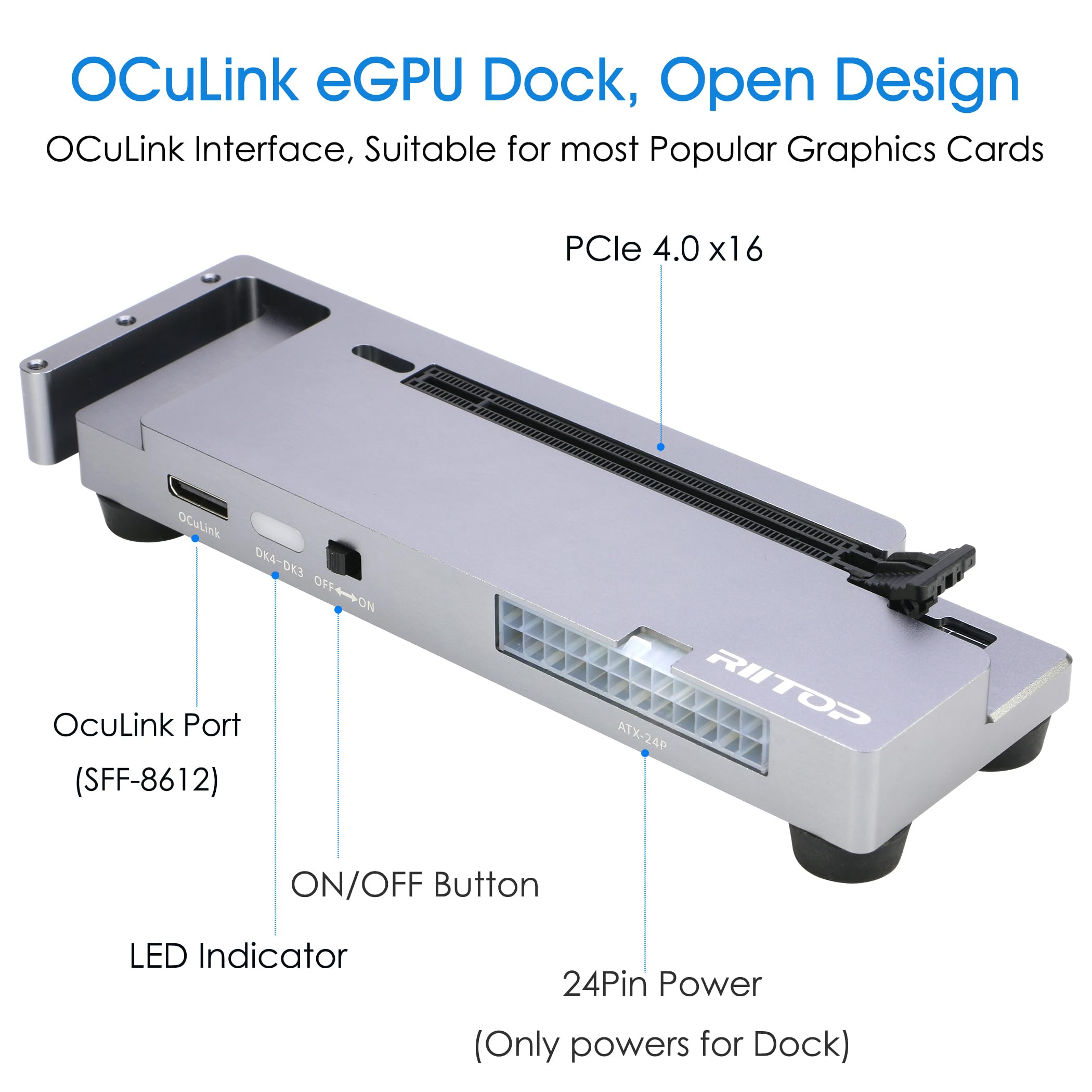
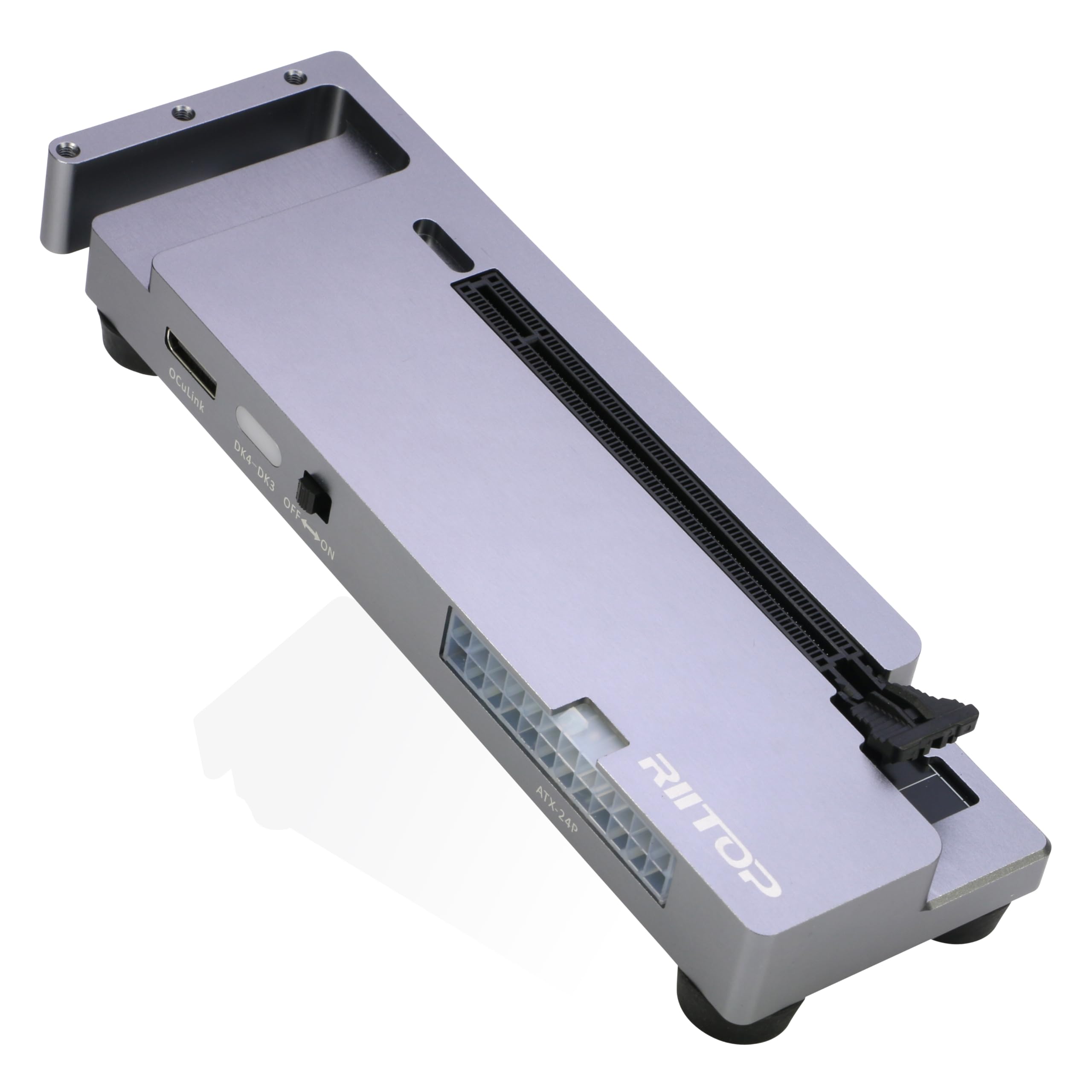
OCuLink eGPU Dock: RIITOP OCuLink eGPU Docking Station Compensates for the performance limitations of graphics card on thin/ light or older laptops, gaming rigs MINI PC and NUCs, which comes with Oculink SFF-8612 Port . Supports the latest NVIDIA (RTX 50 Series: 5090 D/5080/5070 Ti/5070), AMD (RX 7000 Series) GPUs. Delivering high-performance graphics for AI Computing, cinematic experiences, large-scale rendering, video editing, gaming and creative workloads
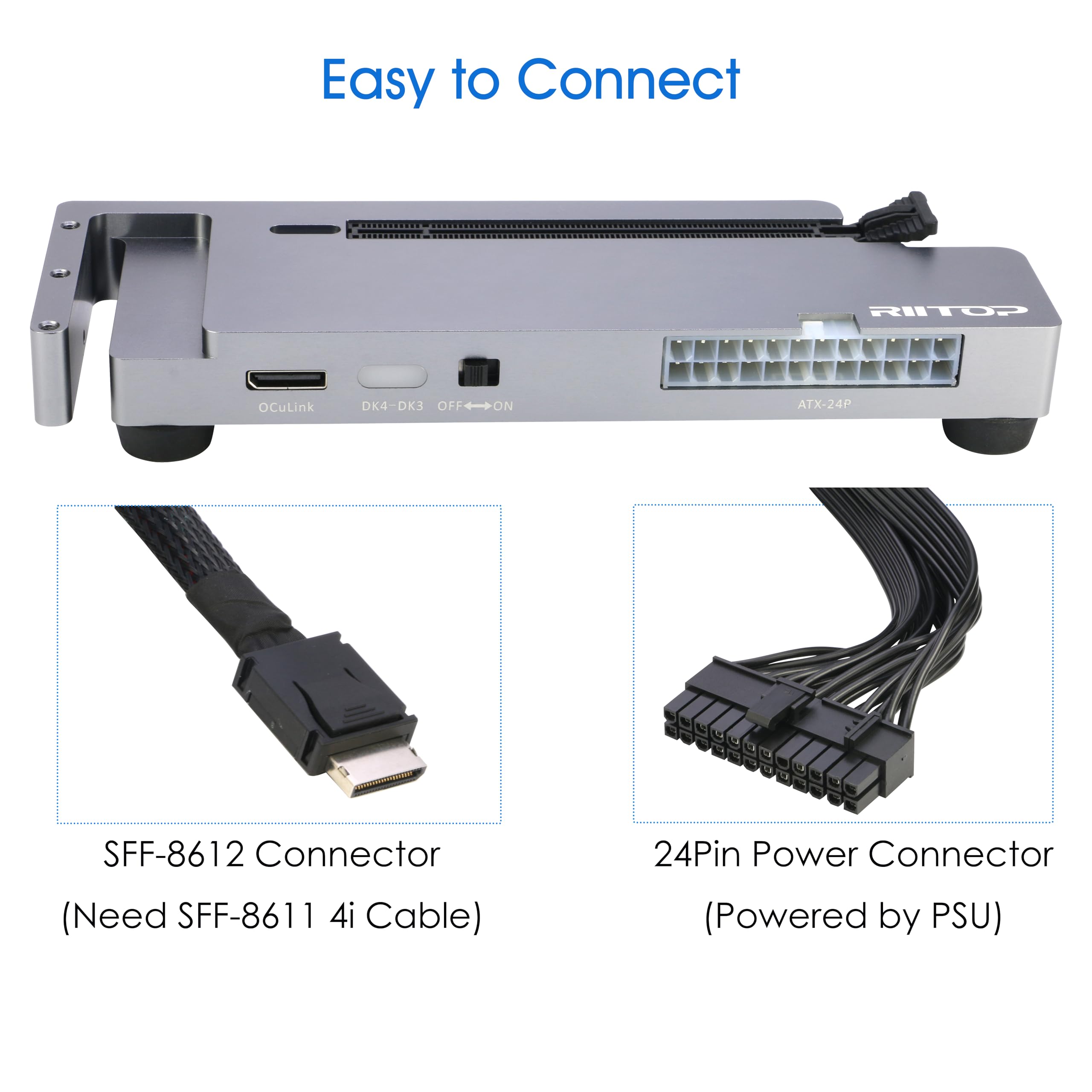
Hardware Requirement: 1x Available Oculink SFF-8612 Port on your laptop, MINI PC or any other device you want to connect, otherwise it can not be used; 1x PCIe 4.0 x16 Graphics card; 1x ATX/SFX Power Supply (It should match the graphics card requirement)
Wide Compatibility: Open design, No restrictions on graphics card size, Supports the most latest graphics card, such as NVIDIA (RTX 50 Series: 5090 D/5080/5070 Ti/5070) and AMD (RX 7000 Series) GPU; Compatible with Windows 10/11 64-bit, Linux, and Mac OS
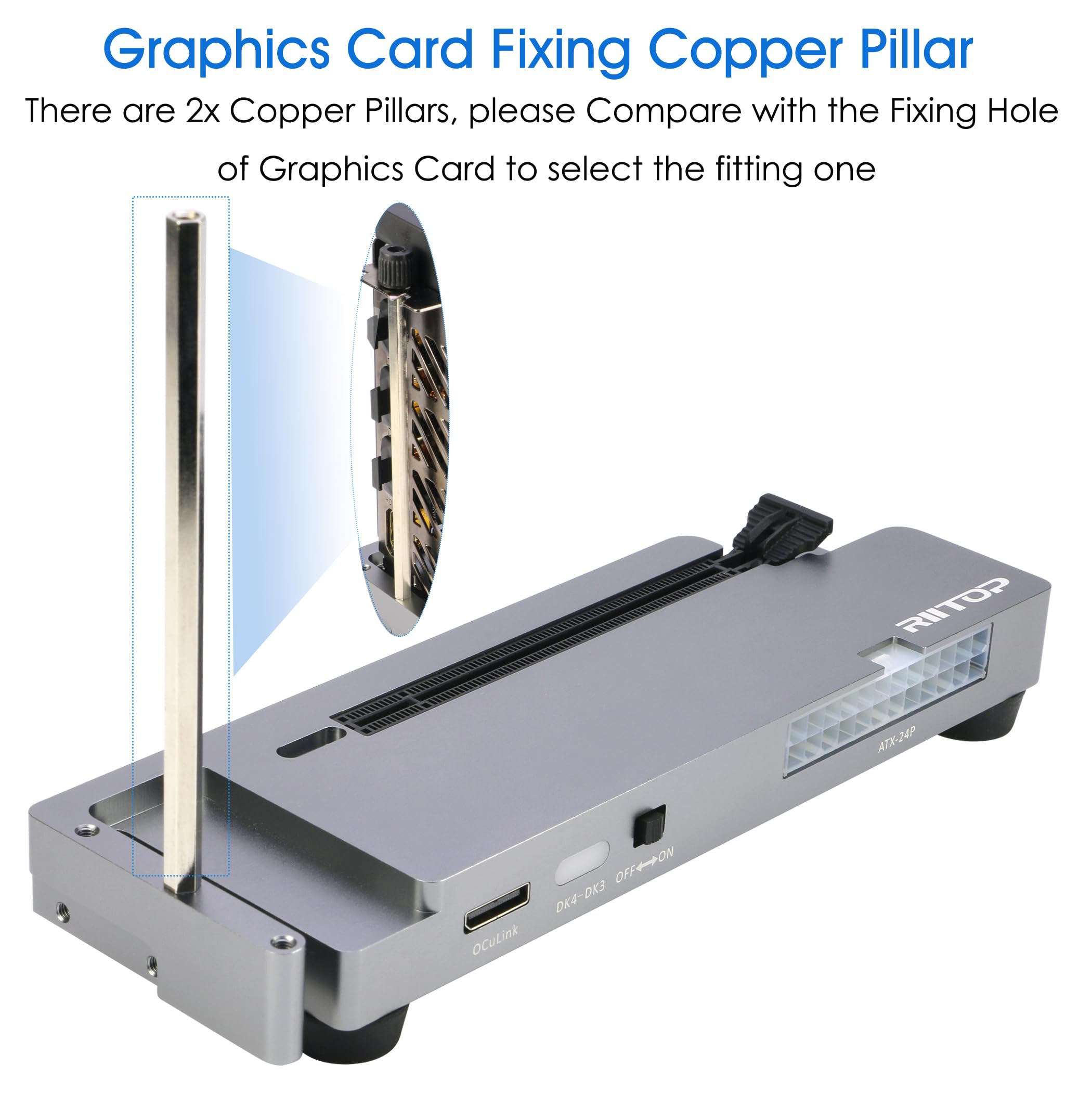
Simple Installation Guide: Step 1: Fit the graphics card, securing it with the dedicated graphics card support pillar. Step 2: Mount the power supply using the black retention bracket. Step 3: Connect all necessary cables: 8-pin and 24-pin ATX power cable; Oculink cable; Monitor video cable; Step 4: Switch on the power button; Step 5: Install the graphics card drivers
Please Note: (1) The OCULINK interface does not support hot-plugging. Ensure the power is switched off before unplugging or connecting the cable (2) The OCULINK interface is designed with “fixed lock”. When disconnecting, you must press the release switch to unlock it first. (3) About Mac OS: Compatible with Mac OS 10.13.4 and above, but can only support AMD Graphics Card, no driver need. Not support NVIDIA on Mac OS
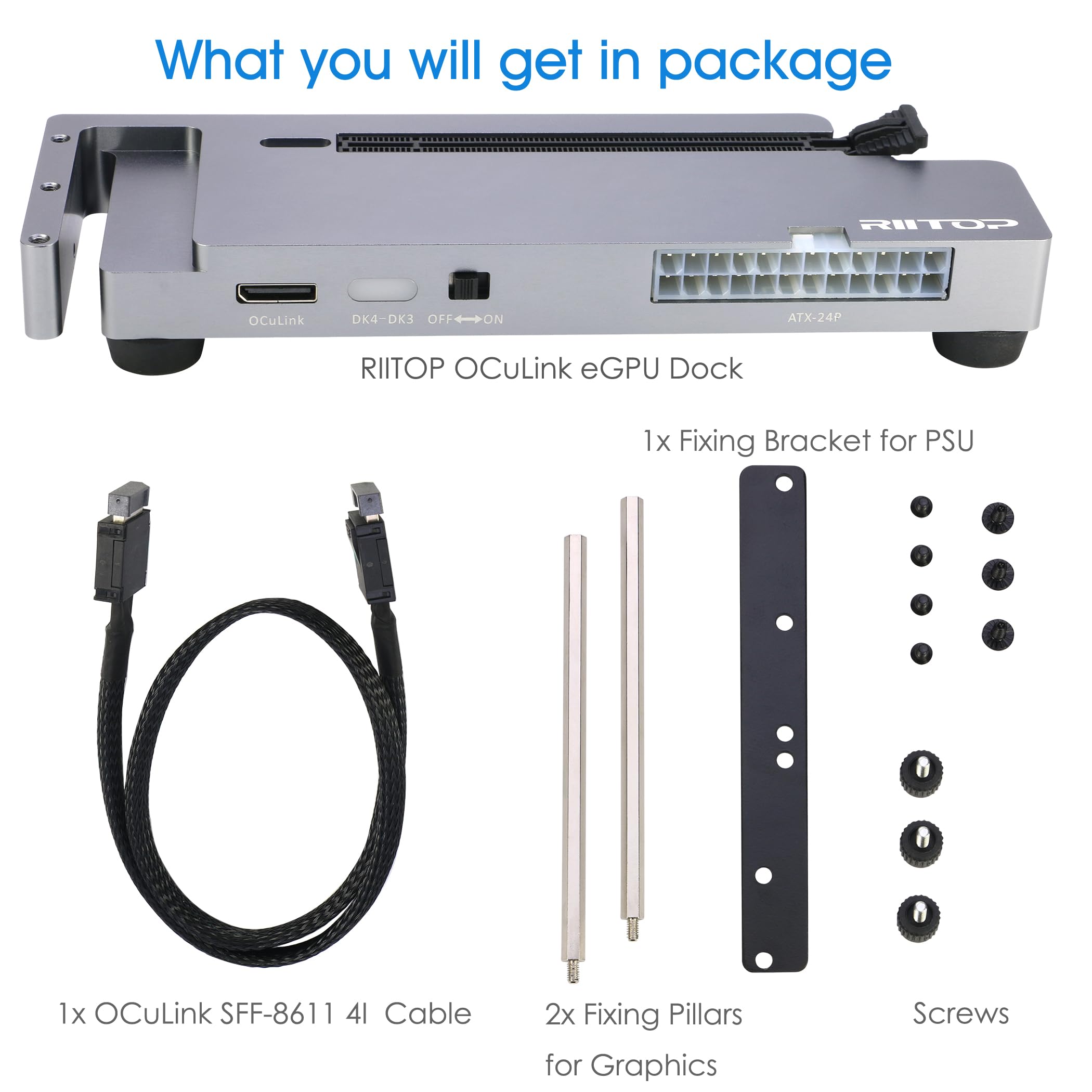
Packing Including: 1x RIITOP OcuLink GPU Dock (Graphics Card and Power supply not included); 1x OcuLink SF-8611 4i cable; 2x Fixing Cooper Pillar for Graphics; 1x Fixing bracket for power supply; 1 x User Manual; Screws

Buy products not available in the Philippines.