Galleon 2026Download our mobile shopping application for faster and easy transaction.
₱2,347
+ ₱ 150
Shipping Cost from USA to Philippines inclusive of custom fees.
Cost too high? Check weight and dimension on product details and click "I think this is wrong?" link.
Get it between 2026-05-27 to 2026-06-03.
Additional 3 business days for provincial shipping.
- Price and Stocks may change without prior notice
- Packaging of actual item may differ from photo shown
Cash upon Pick-up - orders grand total must not exceed ₱5,000.00. Order will be pickup at Galleon's Office.
Cash on Delivery - orders grand total must not exceed of ₱10,000.00 and must not exceed ₱5,000.00 for provincial areas. See all payment methods
Product ID:
1505595
Identifier:
B0GL2K82TP
Brand:
Xiaodib
Model:
B0GL2K82TP
Shipping Weight:
0.18 lbs
Manufacturer:
Xiaodib
Shipping Dimension:
8.31 x 1.89 x 0.75 inches
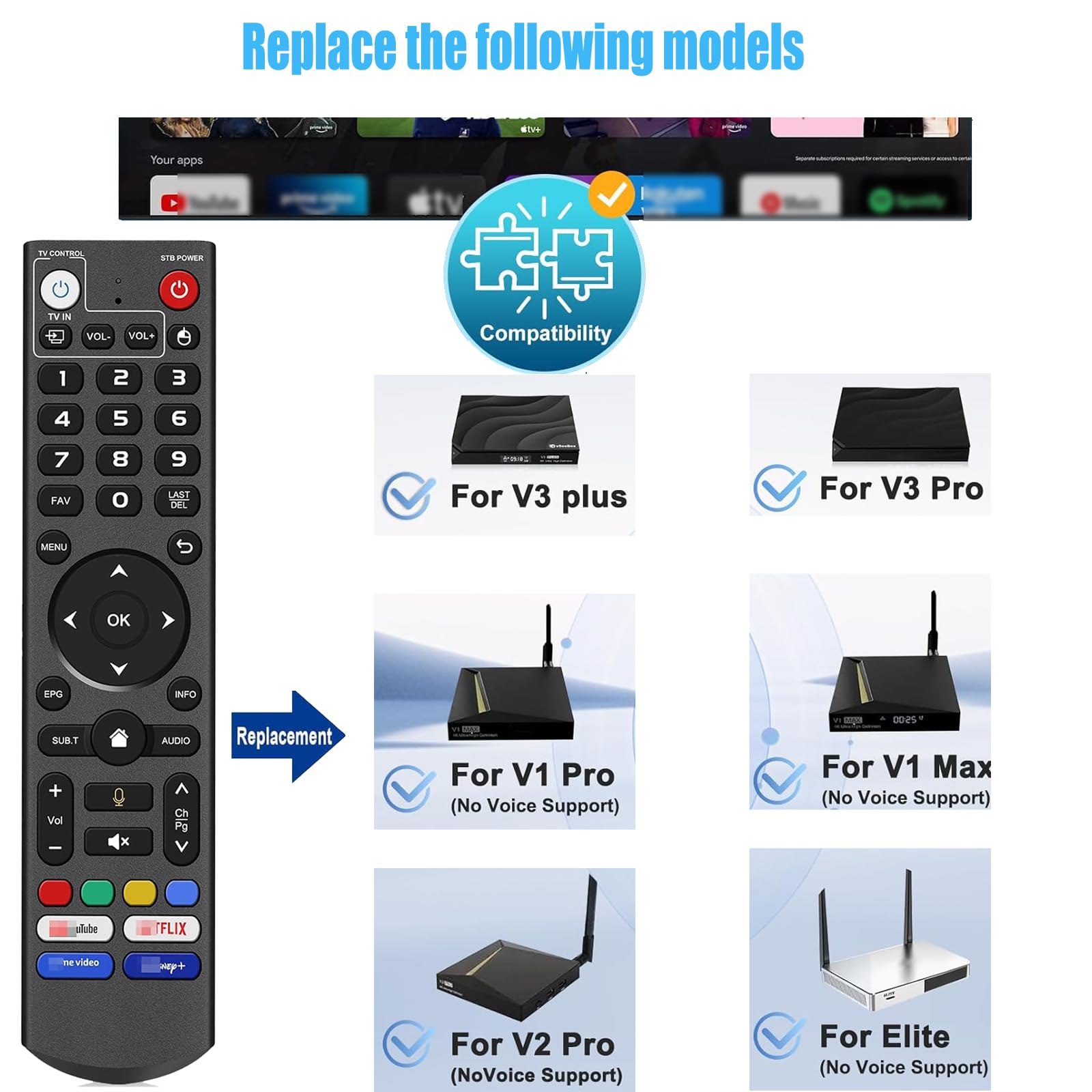
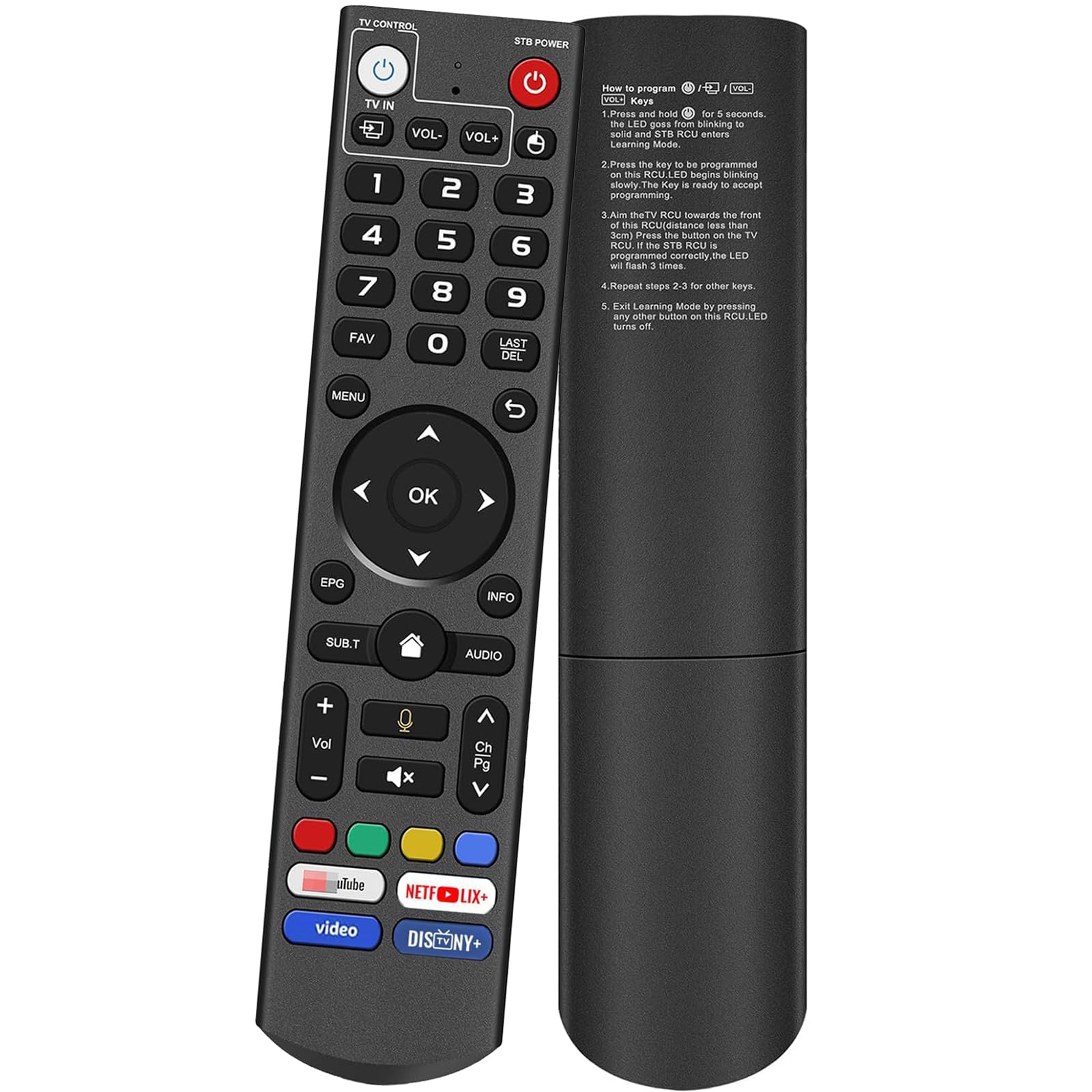
[Compatible Models] This is V3 Pro It works with the following models, for vSeeBox V5 Pro / V3 Plus/V3 Pro / V2 Pro / V1 Pro/V1 Max/Elite/Max. Tips: V1 Max, V1 Pro, V2 Pro (No Voice Command Feature). 【Note: Please make sure your box model is in the above list.】
[Voice Control] With voice fountion.Switc-channels, adjust volume, search movies by voice.V1 Max, V1 Pro, V2 Pro (No Voice Command Feature)
[Two working modes] V3 working mode and V2 working mode. Press and hold the number key 5 for more than 10 seconds and the indicator light flashes, indicating that the mode switch is successful. V3 Pro working mode is applicable to V3 Pro; V2 Pro working mode is applicable to V1 Pro/V2 Pro/Max/Elite.(Note: Vseebox V3 remote control defaults to V3 working mode)
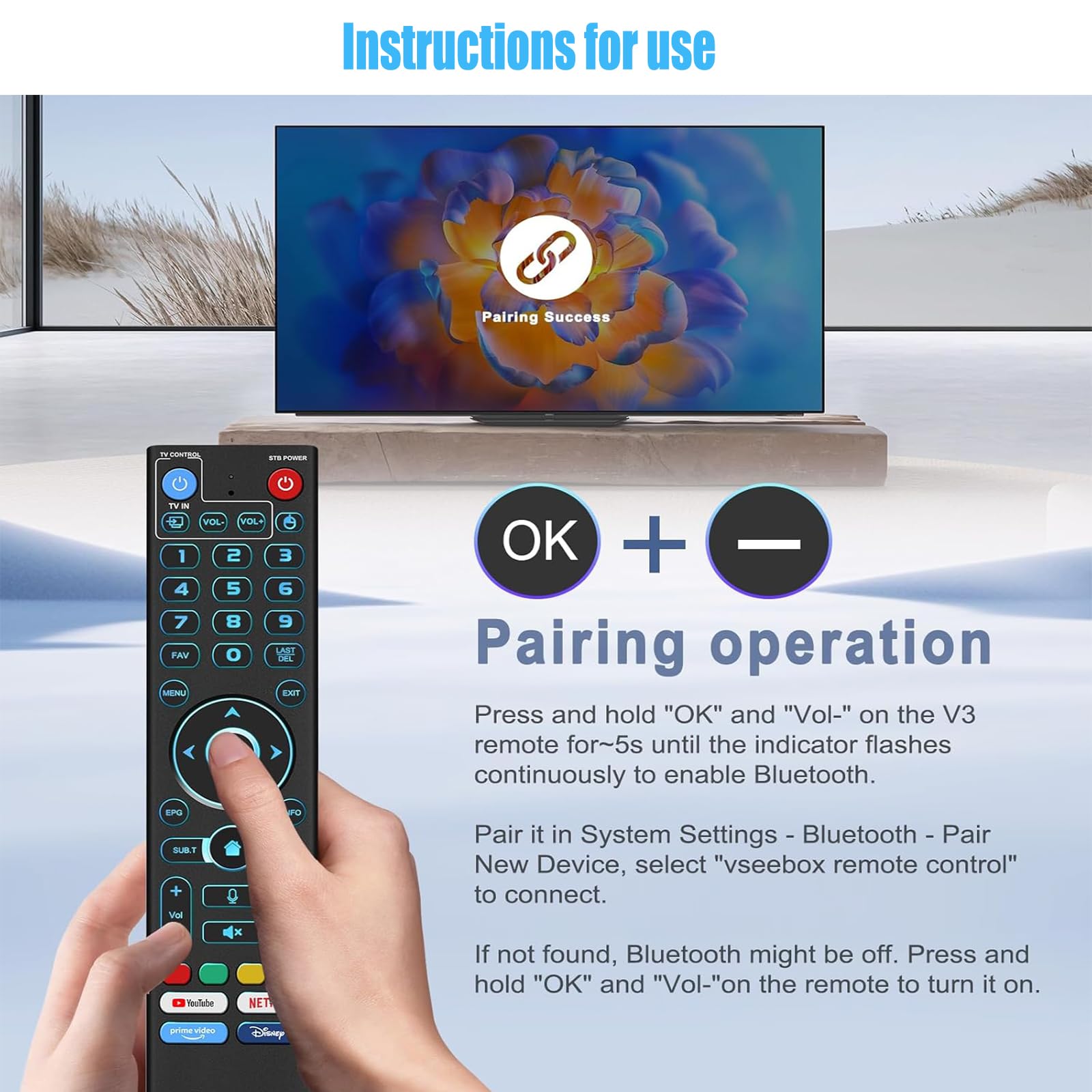
[How to Use] the V3 Remote Control On V1 Pro/V2 Pro/Max/Elite, Press and hold the OK and vol- keys simultaneously (about five seconds) until the remote control indicator light continues to flash, which means the Bluetooth of the V3 remote control is enabled.Pair the remote control under System Settings - Bluetooth - Pair New Device, find the remote control, and connect to. (If it is not found, it may be that Bluetooth is not turned on. Please press and hold the OK and vol- keys on the remote control at the same time to turn on Bluetooth)
[After-sale Service] Our Xiaodib Remote Control comes with an unlimited return and refund service in 90 days. If you have any query, please contact us and we will get back to you as soon as possible within 24 hours.
Replacement Voice Remote fit for vSeeBox V3 Pro, Compatible with V5 Pro / V3 Plus V3 / V2 / V1 Pro/Max/Elite/Max

Buy products not available in the Philippines.