Galleon 2025Download our mobile shopping application for faster and easy transaction.
Product ID:
82026
Identifier:
1958446025
Brand:
TeachUcomp, Inc.
Model:
Shipping Weight:
0.11 lbs
Manufacturer:
TeachUcomp Inc.
Shipping Dimension:
10.98 x 8.46 x 0.28 inches
₱703
+ ₱ 150
Shipping Cost from USA to Philippines inclusive of custom fees.
Cost too high? Check weight and dimension on product details and click "I think this is wrong?" link.
Get it between 2026-01-08 to 2026-01-15.
Additional 3 business days for provincial shipping.
- Price and Stocks may change without prior notice
- Packaging of actual item may differ from photo shown
Cash upon Pick-up - orders grand total must not exceed ₱5,000.00. Order will be pickup at Galleon's Office.
Cash on Delivery - orders grand total must not exceed of ₱10,000.00 and must not exceed ₱5,000.00 for provincial areas. See all payment methods
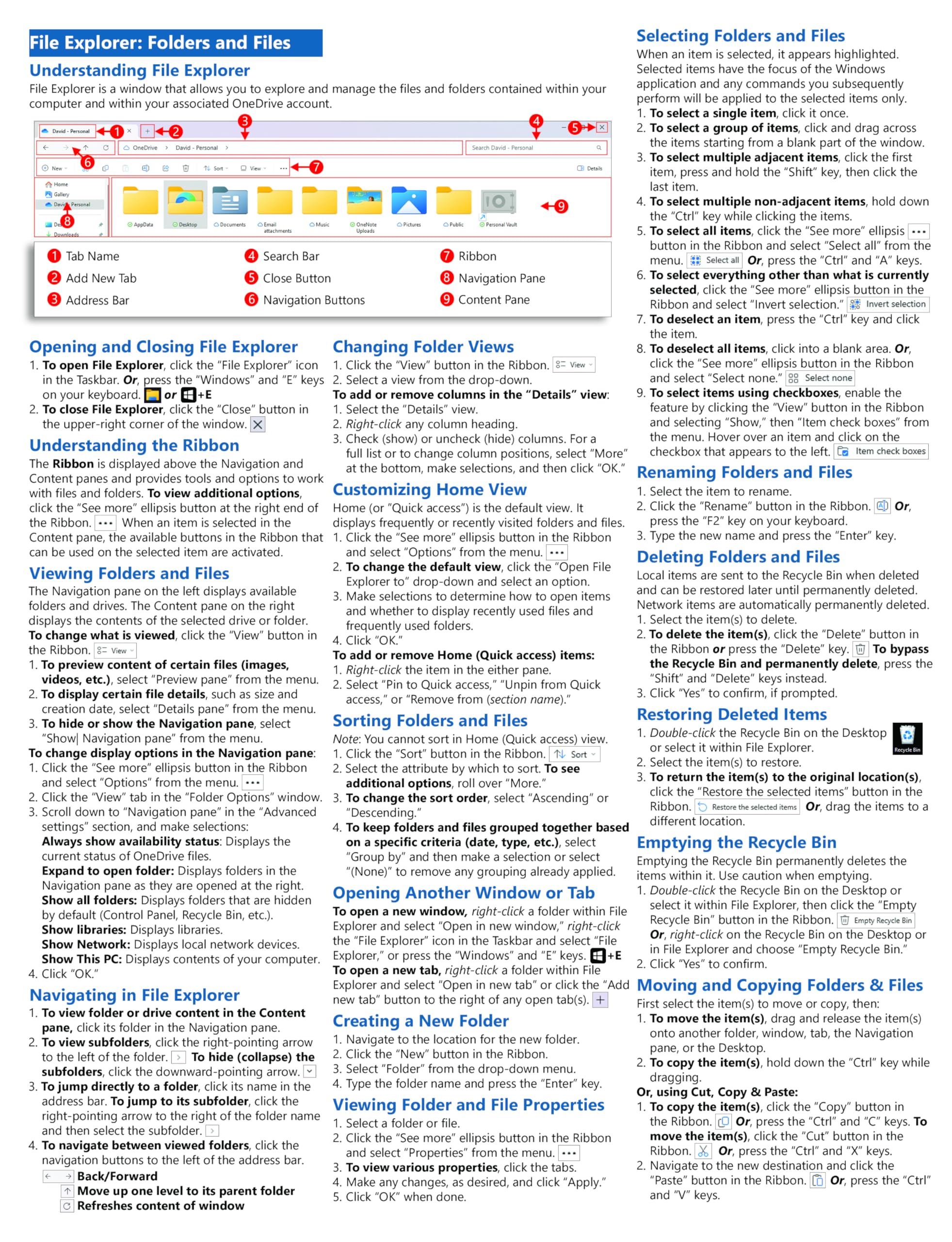
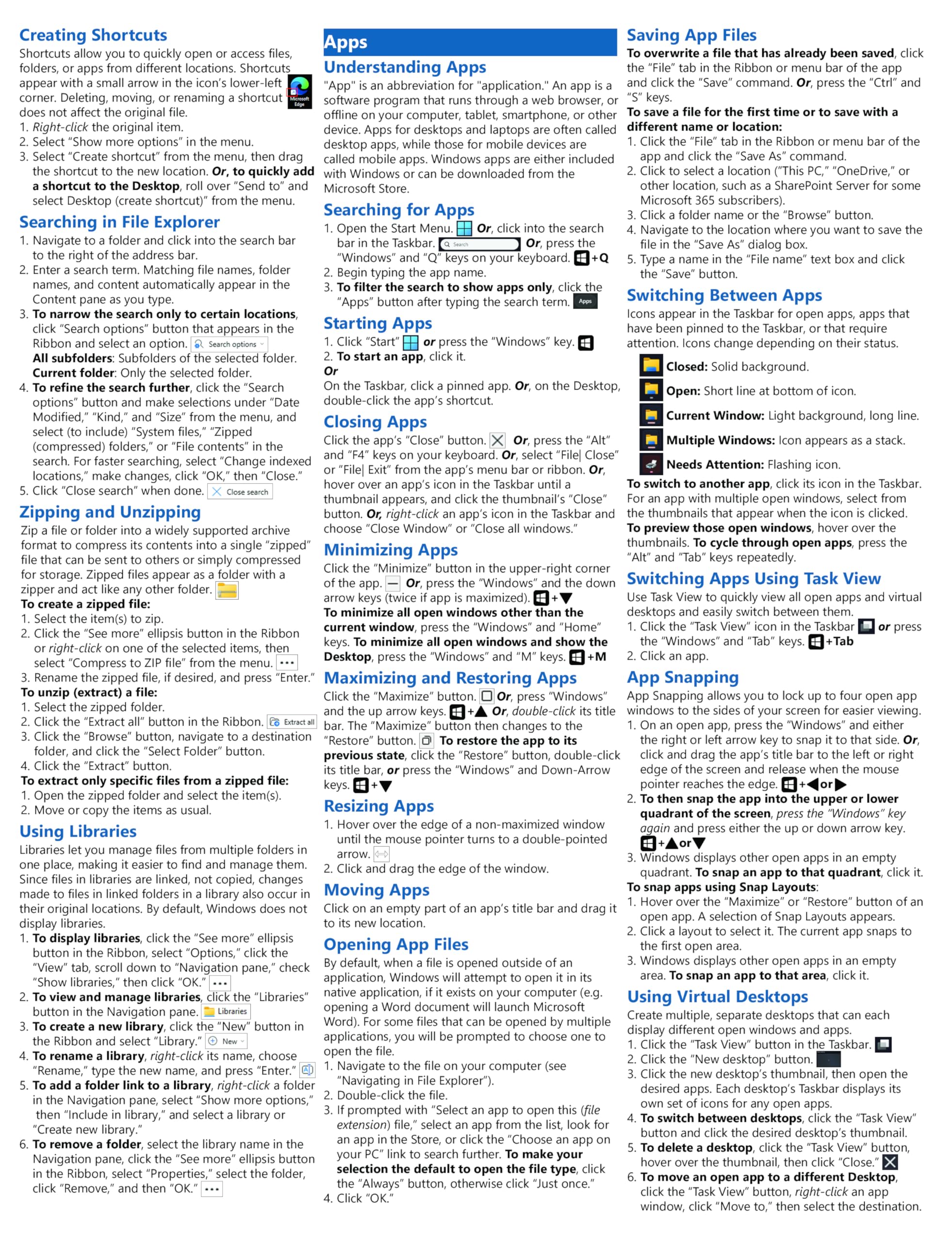
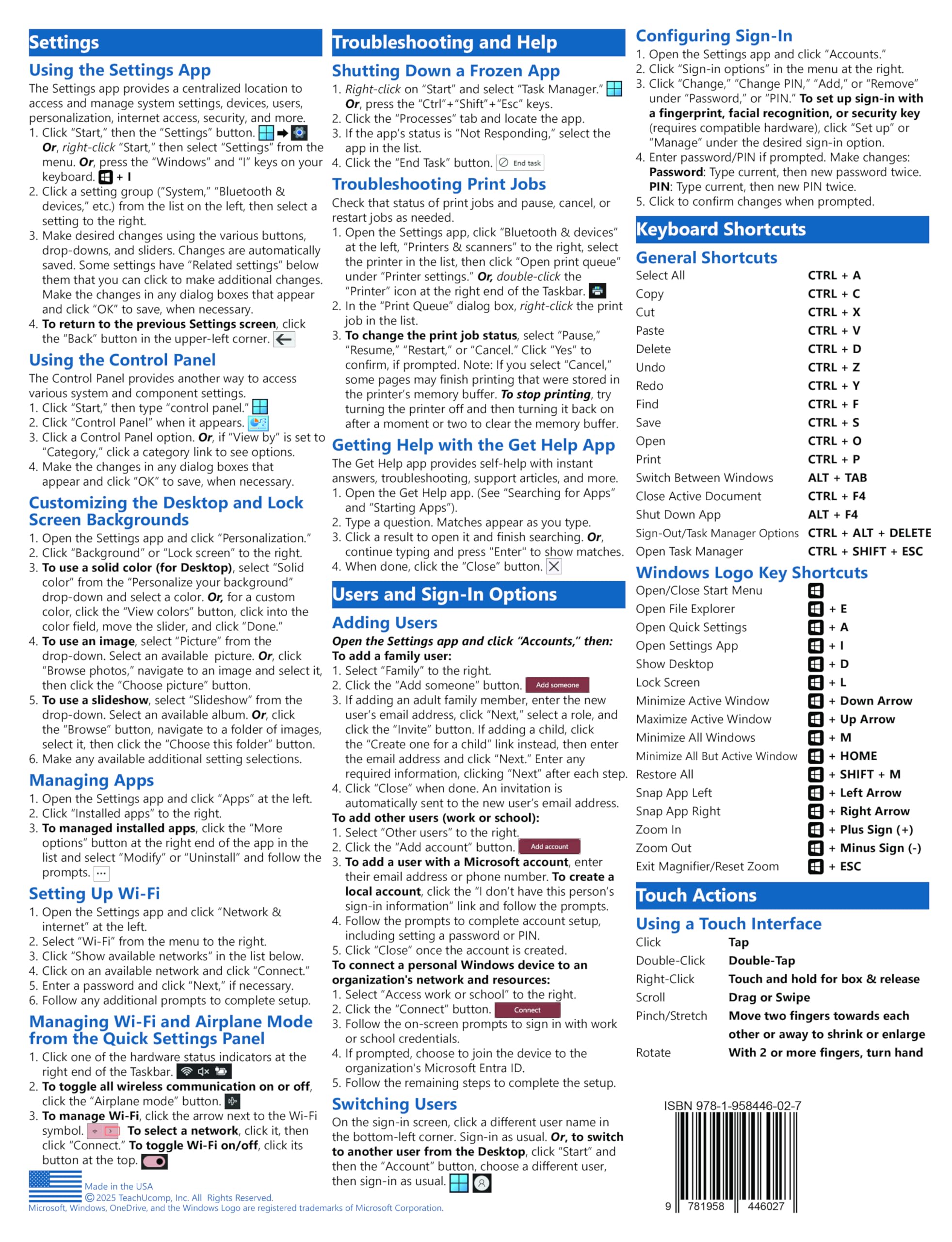
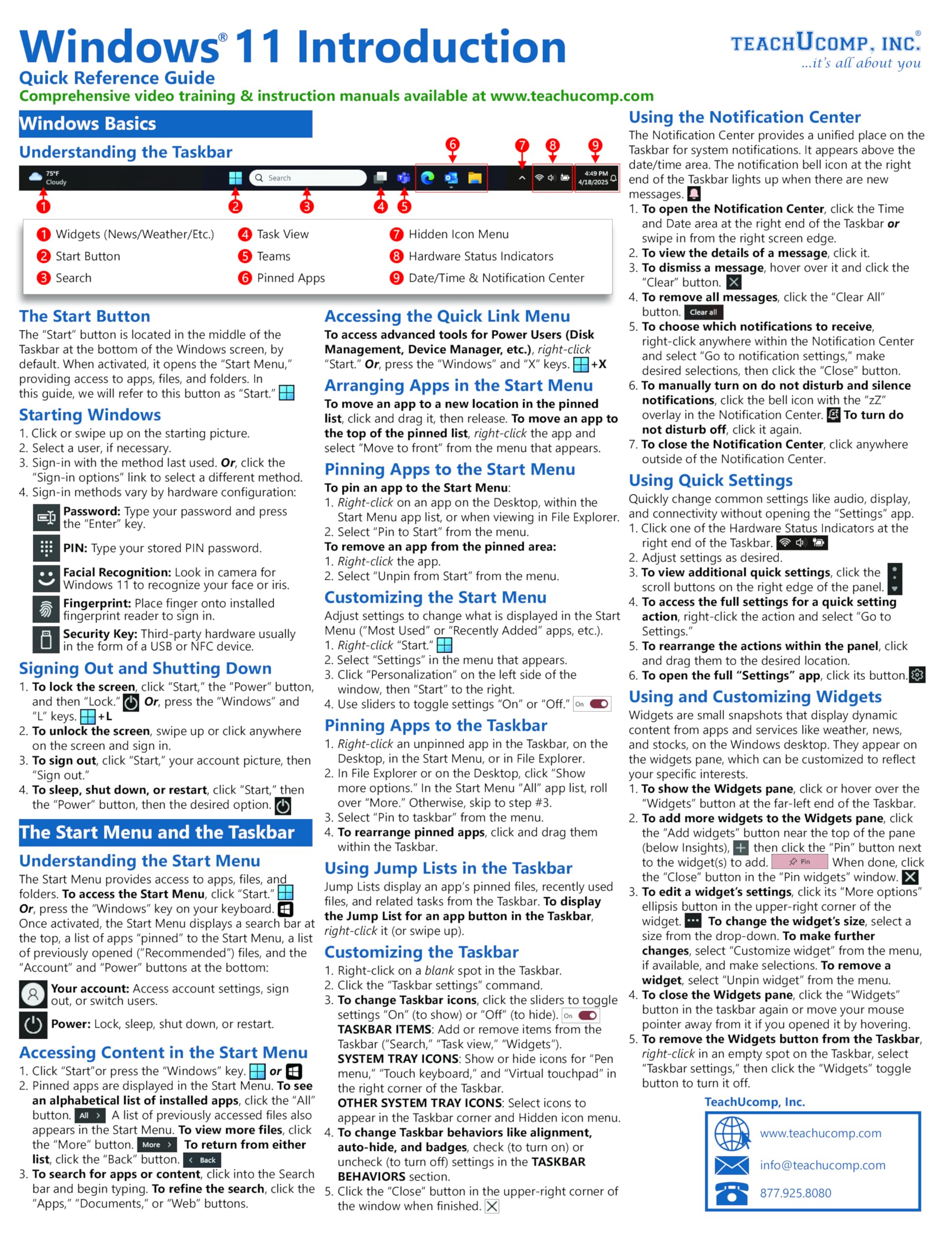
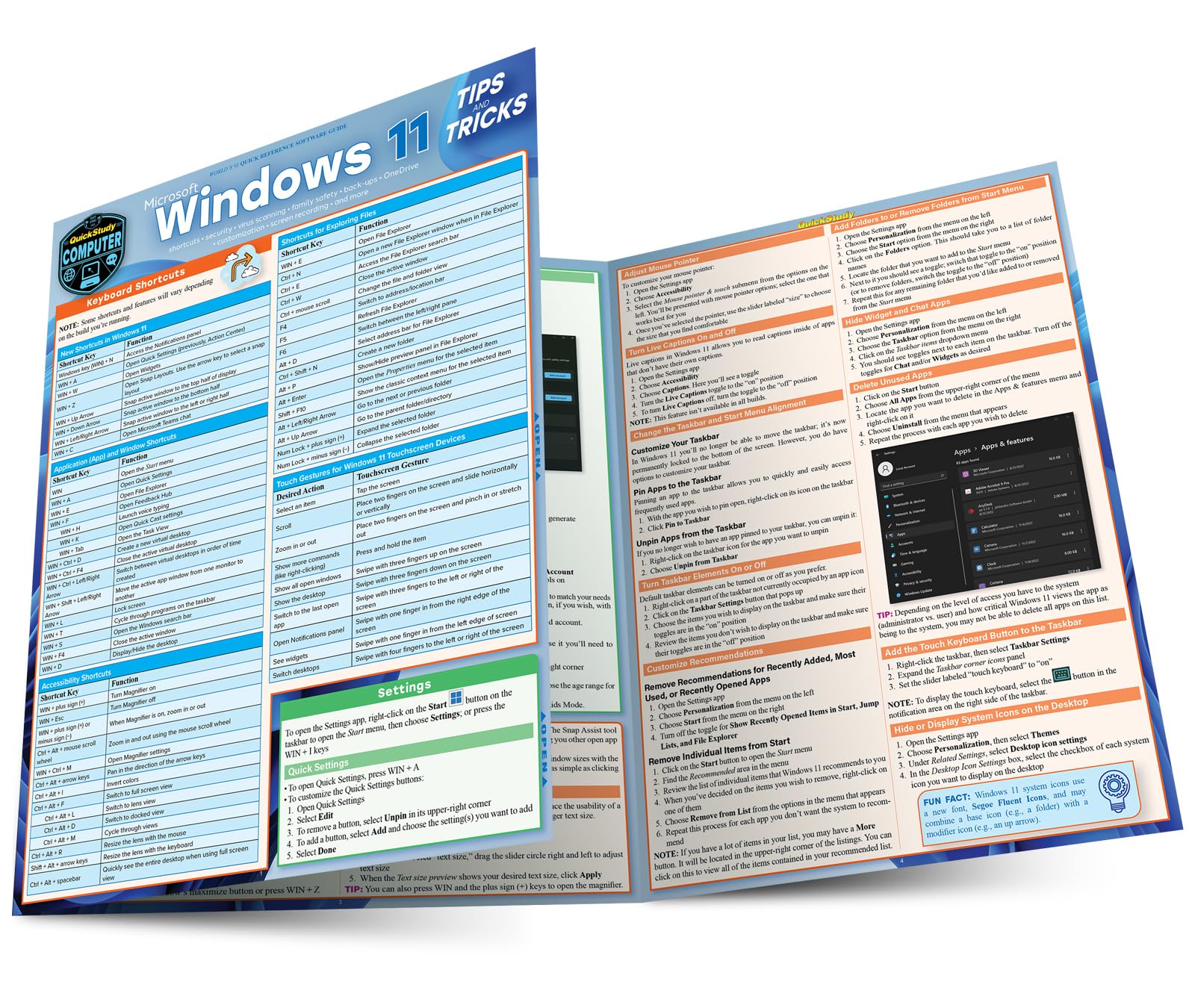
Designed with the busy professional in mind, this 4-page laminated quick reference guide provides step-by-step instructions in Windows 11. When you need an answer fast, you will find it right at your fingertips. Durable and easy-to-use, quick reference cards are perfect for individuals, businesses and as supplemental training materials. With 66 topics covered, this guide is perfect for someone new to Windows or upgrading from a previous version. Topics Include: Windows Basics; The Start Menu and Taskbar; File Explorer- Folders and Files; Apps; Windows Settings; Troubleshooting and Help; Users and Sign-In Options; Touch Actions; Keyboard Shortcuts.

Buy products not available in the Philippines.